 Indicatrix
Indicatrix
Spectral path tracer and faceting-design CAD for cut gemstones
Indicatrix is a spectral path tracer: it traces light through cut gemstone geometry using hero-wavelength spectral sampling with polarization and birefringence, evaluating the refractive index per wavelength from Sellmeier and Cauchy dispersion data rather than a fixed RGB approximation. The transport physics runs on the CPU and, optionally, as a GPU compute kernel that is checked against the CPU reference by a tiered equivalence harness.
It is built for previewing faceting designs before cutting, comparing
how different gem materials render the same cut, and producing
reference-quality still renders. Designs come from GemCAD-style
.asc cutting instructions or from Indicatrix's own faceting
editor.
Status: the renderer is usable today. The faceting CAD (design editing, solving, optimizing) and the rough planner are beta and under active development — see section 5. Indicatrix is MIT licensed.
In the browser: a web version runs at live.indicatrix-suite.com with nothing to install — open or start a design, edit and solve it, and render it on your own CPU cores. It is smaller than the desktop app; the web app page lists what it does and does not do yet.
1What is modelled
| Aspect | Method | Notes |
|---|---|---|
| Sampling | Hero-wavelength spectral sampling, 8 channels per path | One hero wavelength plus 7 rotated companions per ray (NUM_CHANNELS, crates/indicatrix/src/optics/raytracer/mod.rs) |
| Dispersion | Sellmeier / Cauchy dispersion per material | 32 built-in materials, each with a cited or derived fit (crates/indicatrix/src/optics/materials.rs) |
| Polarization | Stokes vectors and Mueller matrices at every interface | Includes total-internal-reflection phase retardation (optics/polarization.rs, optics/birefringence.rs) |
| Anisotropy | Uniaxial and biaxial crystal optics | Ordinary/extraordinary ray splitting and Poynting walk-off (optics/birefringence.rs, GPU port in renderer/gpu/transport_check/eigenmodes_uniaxial.rs) |
| Absorption | Pleochroic, per-direction absorption tensors | Beer–Lambert law along the ray chord (optics/raytracer/absorption.rs) |
| Geometry | Convex half-space intersection | No triangle mesh; facets are planes (geometry/plane.rs, simd/slab.rs) |
| Colour | CIE 1931 tabulated colour-matching functions to XYZ, then tone mapped | color/mod.rs, color/gamut.rs |
| Inclusions | Henyey–Greenstein volumetric scattering | Optional per-material silk/haze scattering parameters, defined in optics/materials.rs and consumed by the Henyey–Greenstein estimator in optics/raytracer/scattering.rs |
2Verification
The optional GPU compute kernel is a WGSL port of the same transport
physics the CPU path runs. It is checked against the CPU reference by a
tiered equivalence harness in crates/indicatrix/src/renderer/gpu:
Tier 1 checks bit-exact integer and RNG state; Tier 2 checks individual
ported functions (Sellmeier evaluation, Fresnel, ray-plane intersection,
and more) against a per-function ULP budget; Tier 3 does a statistical
comparison (Welford mean/variance) of full rendered images between the
two backends. A separate furnace check drives the same hero-wavelength/
CIE-CMF-integration pipeline (no gemstone geometry) against a uniform,
wavelength-independent radiance environment and checks that both the
CPU reference and the GPU port converge to the analytically computable
true value within their own ULP budget.
- Tier 1 — bit-exact RNG and integer state (
renderer/gpu/rng_check.rs) - Tier 2 — per-function ULP budgets (
renderer/gpu/ulp.rs) - Tier 3 — statistical image comparison, CPU vs. GPU (
renderer/gpu/estimator_check/image_comparison.rs) - Furnace anchor — CPU/GPU convergence against an analytically-computed target for the CMF-integration pipeline (
renderer/gpu/furnace_check.rs) - Shader validation — every WGSL unit is parsed with
nagainrenderer/gpu/shader_validation_tests.rs - Cross-backend merge — a CPU sample range plus a GPU sample range, merged the production way, checked statistically against an independent CPU reference (
renderer/gpu/merge_tests.rs); every backend drops a non-finite sample but still counts it, under one shared rule
3Renders
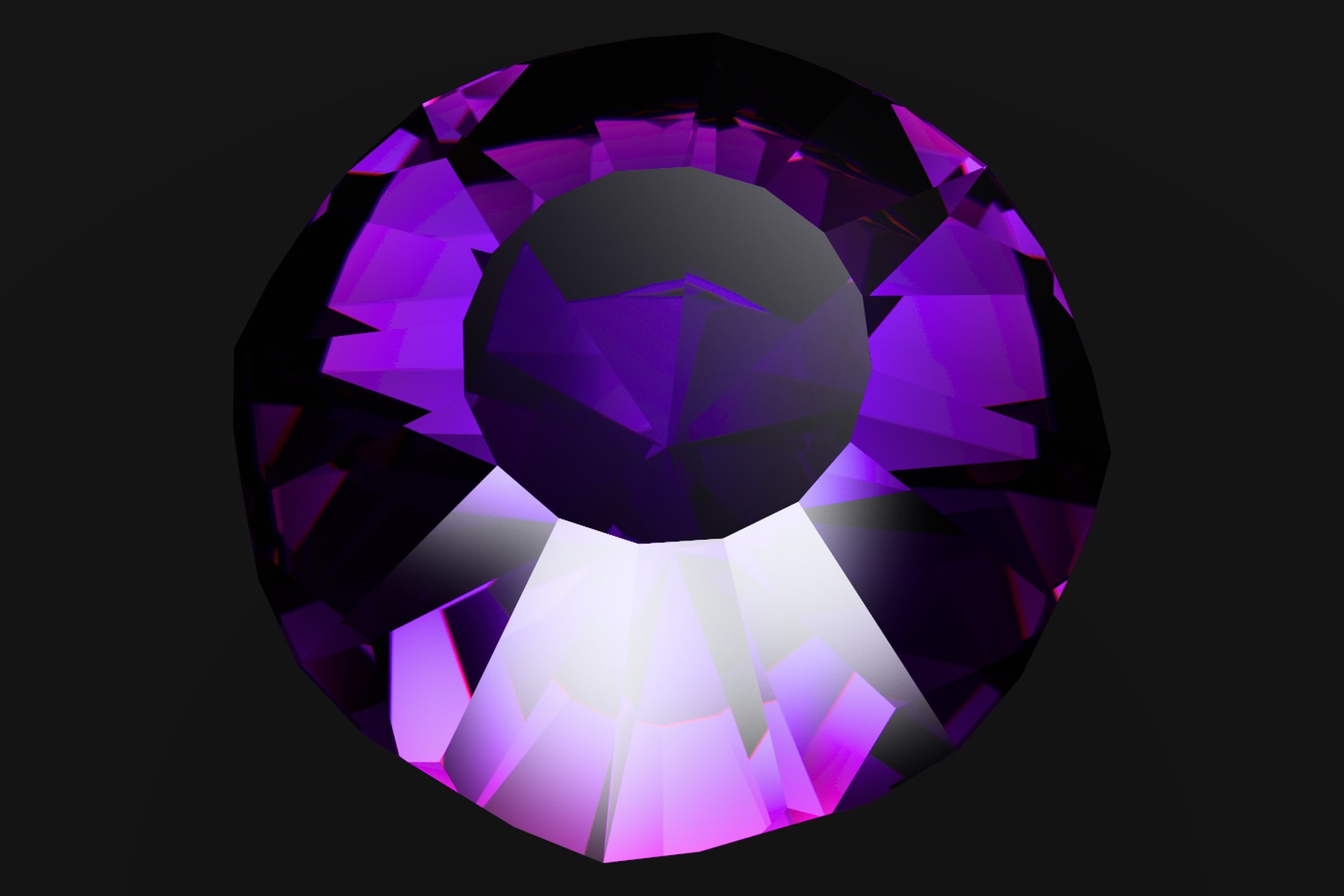
Look at the dispersion fringes along the crown facet edges — continuous colour, not banded RGB.
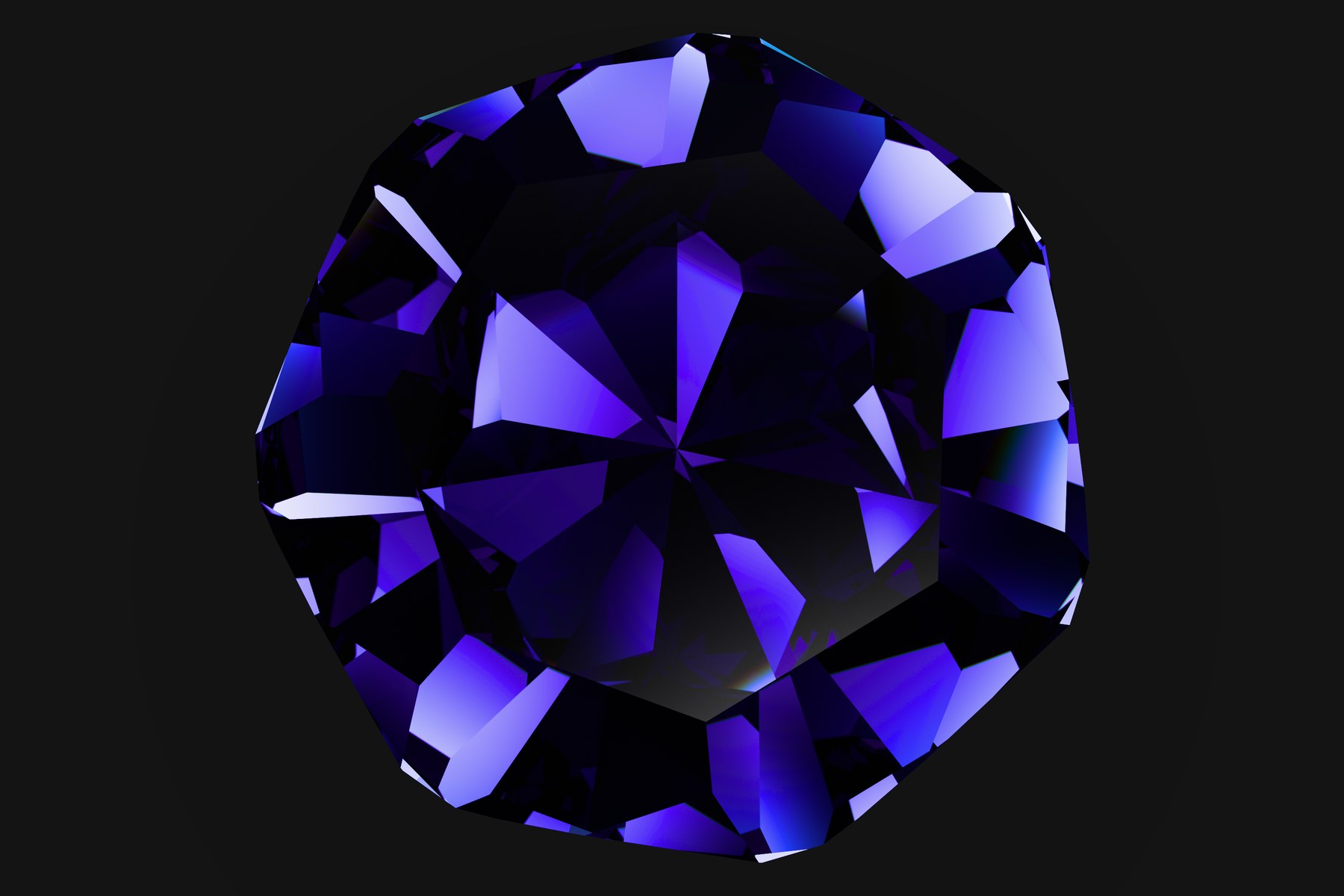
Look at the extinction areas near the pavilion where pleochroic absorption darkens the stone.
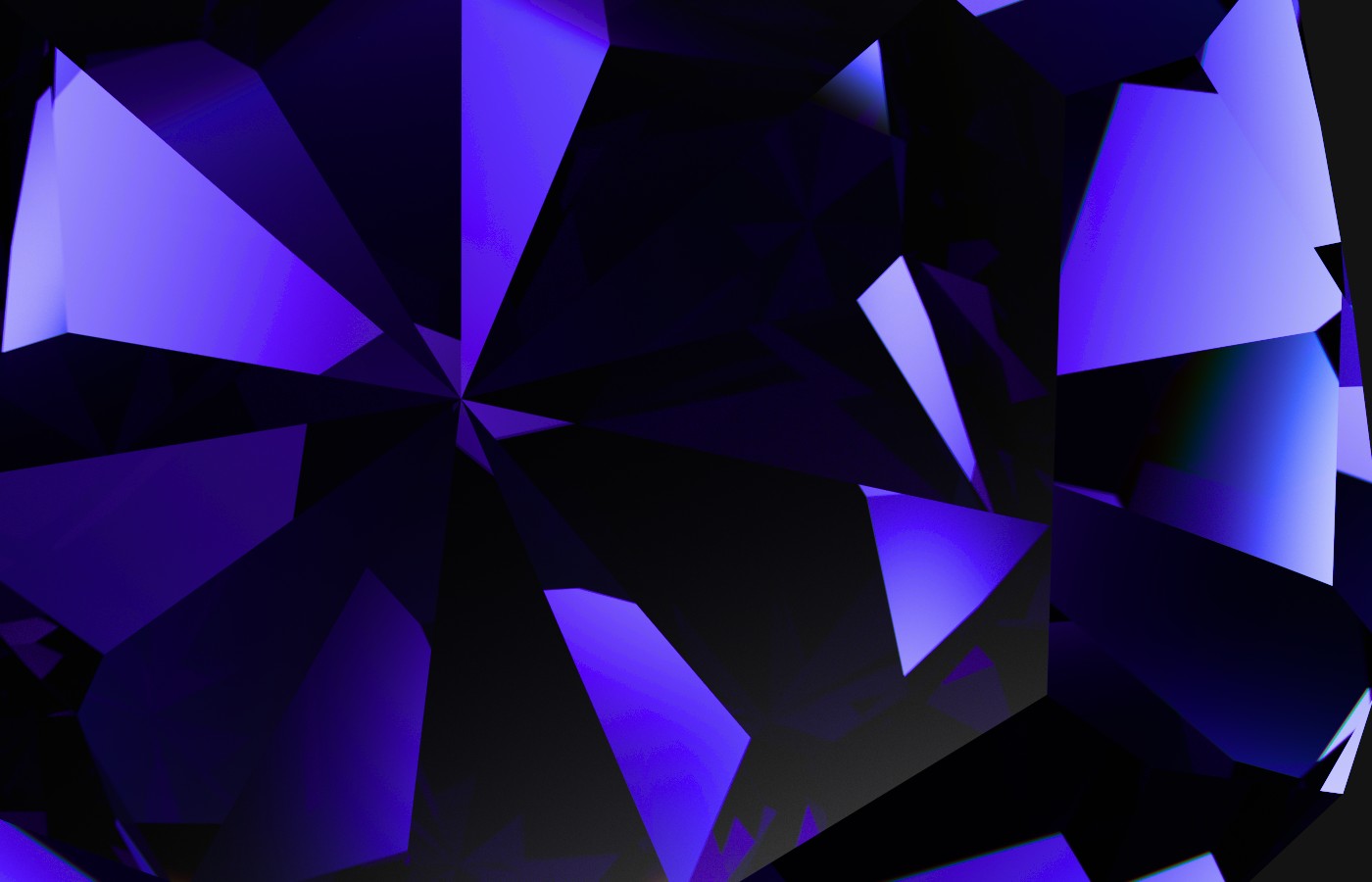
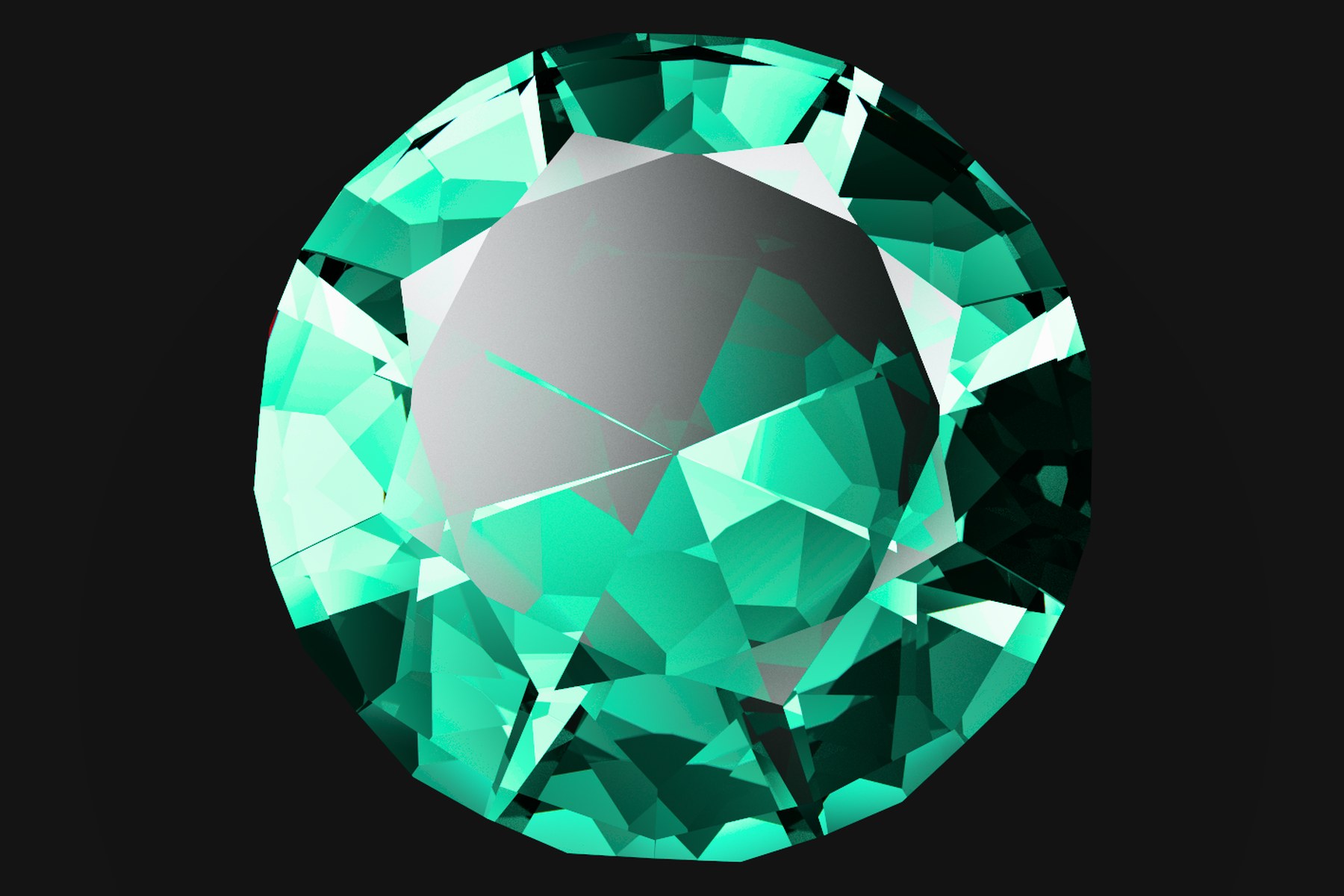
Look at the per-pixel noise level at this sample count — no denoiser applied.
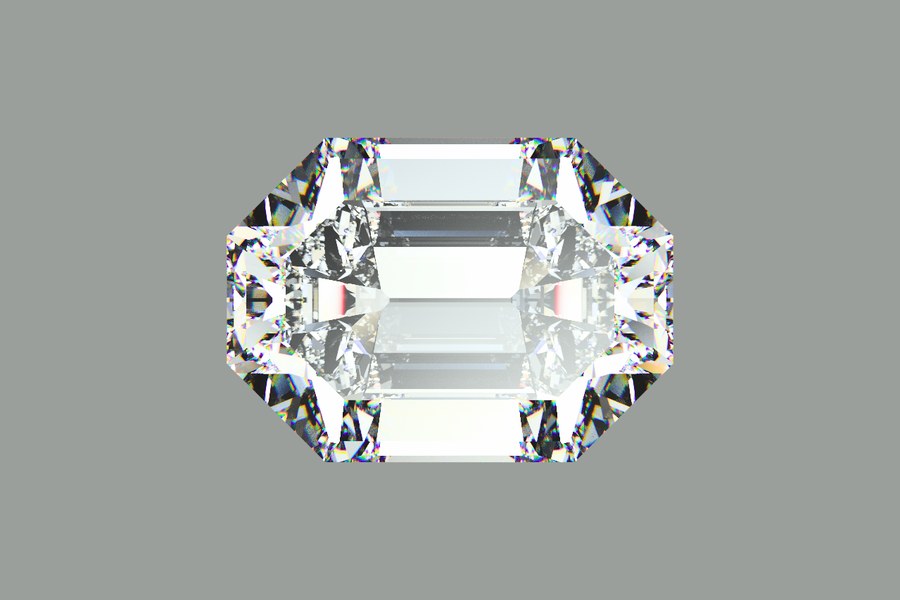
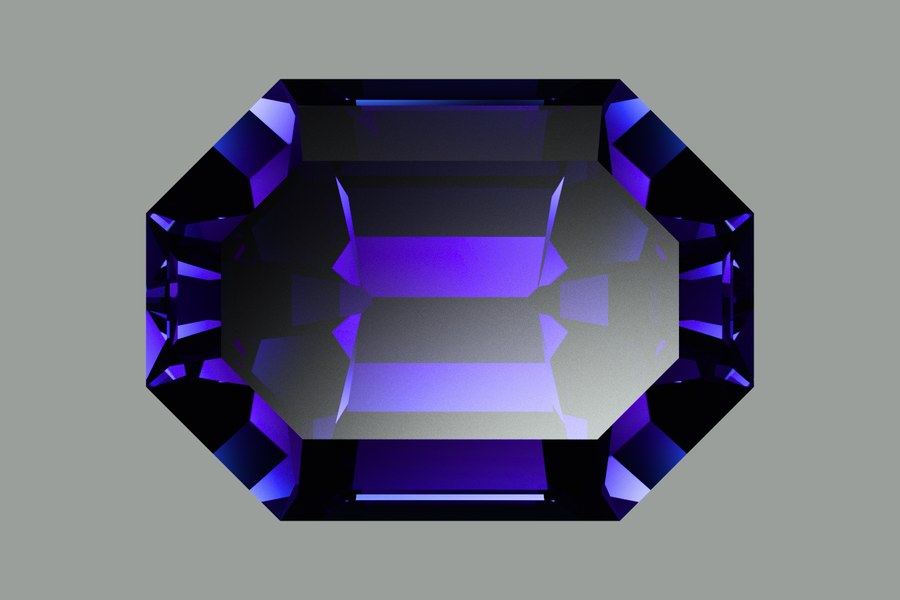
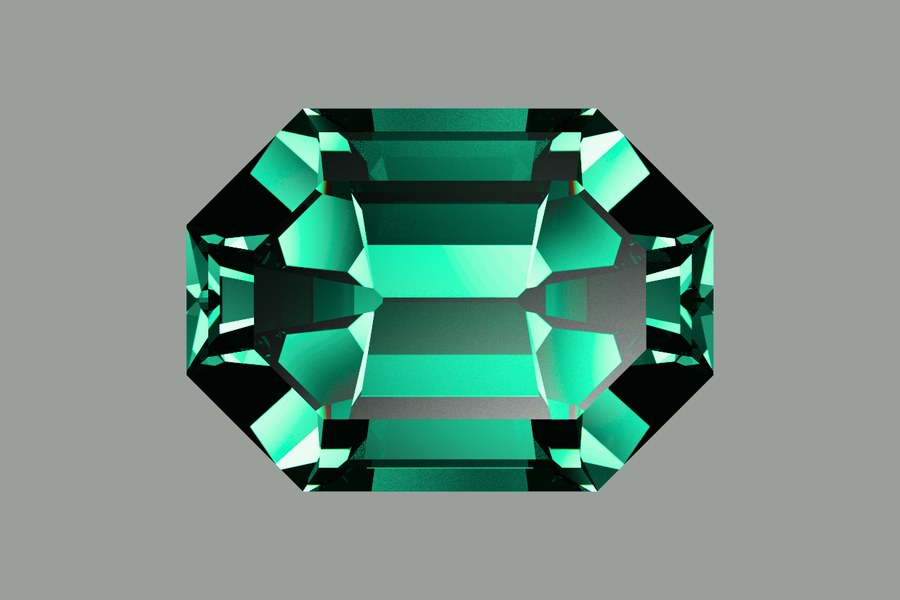
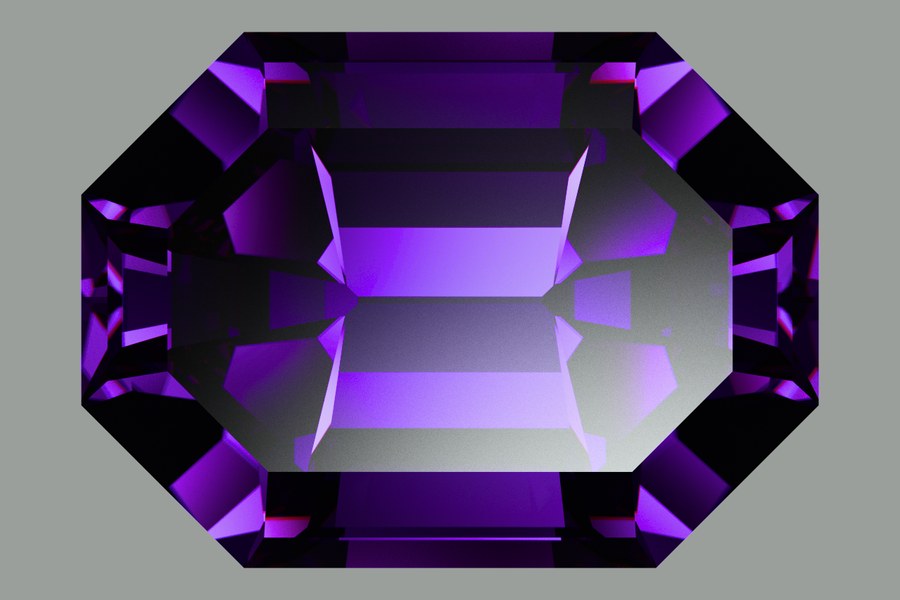
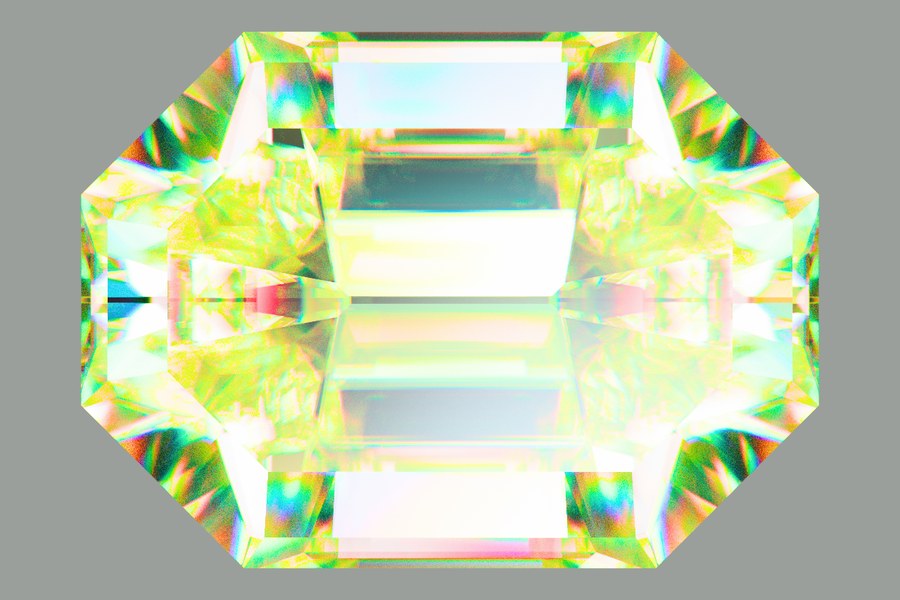
Identical geometry, camera, light tent and backdrop card — only the material changed. Diamond and rutile share a cut and differ almost entirely in dispersion (0.0256 against ≈0.300); sapphire and tanzanite differ in where their absorption bands sit, not in brightness.
4The studio
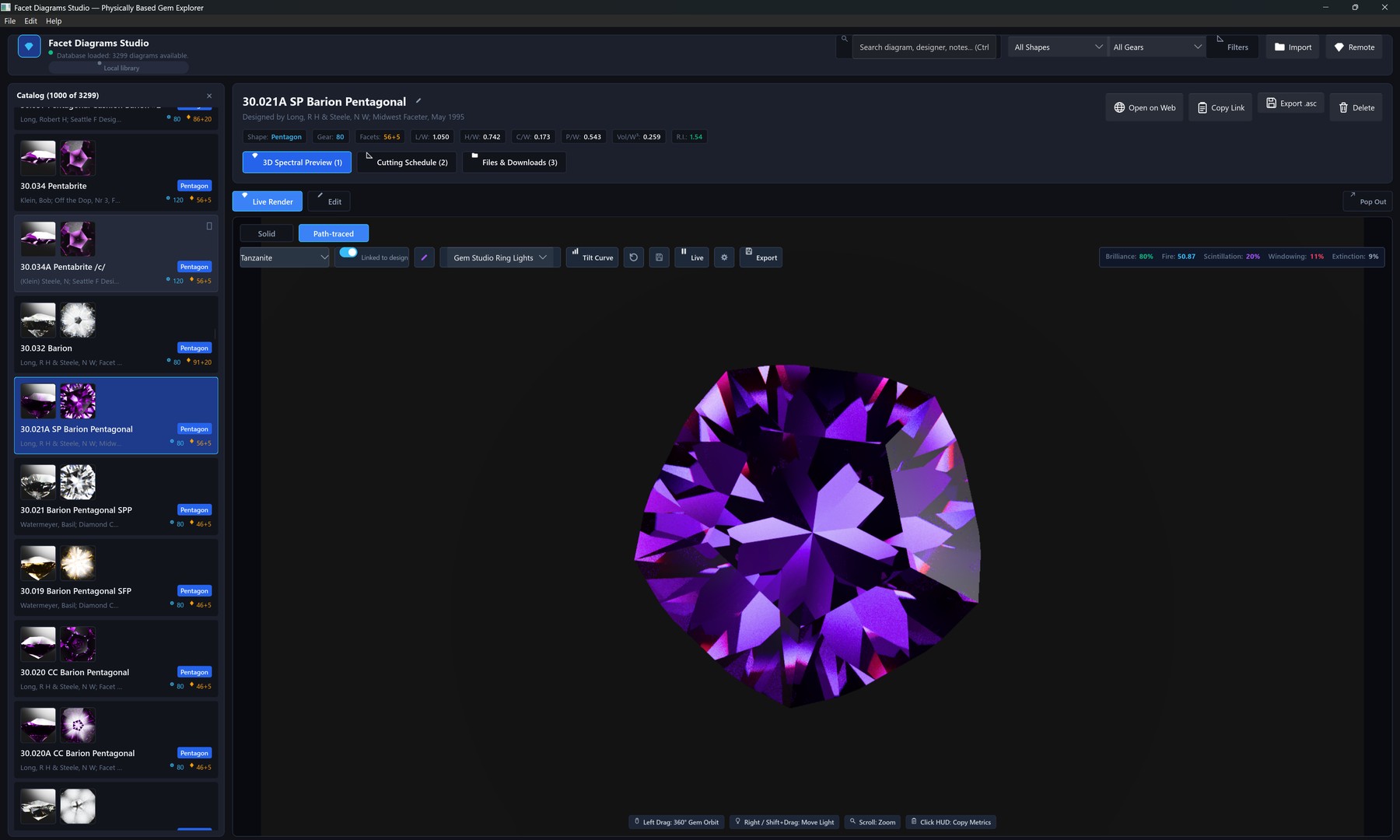
indicatrix-cut is the desktop application: a design library
on the left, a live 3D viewport on the right. The library is a local
SQLite database (no account) searchable by shape, index gear, facet
count, and length/width ratio; it can also switch to browsing the
remote coordinator's design catalogue over the same network connection
used for render offload (see section 7). From the same library, the beta
Rough planner (Library → Plan Rough...) ranks up to 10 ways of cutting
a block of rough into stones (section 5).
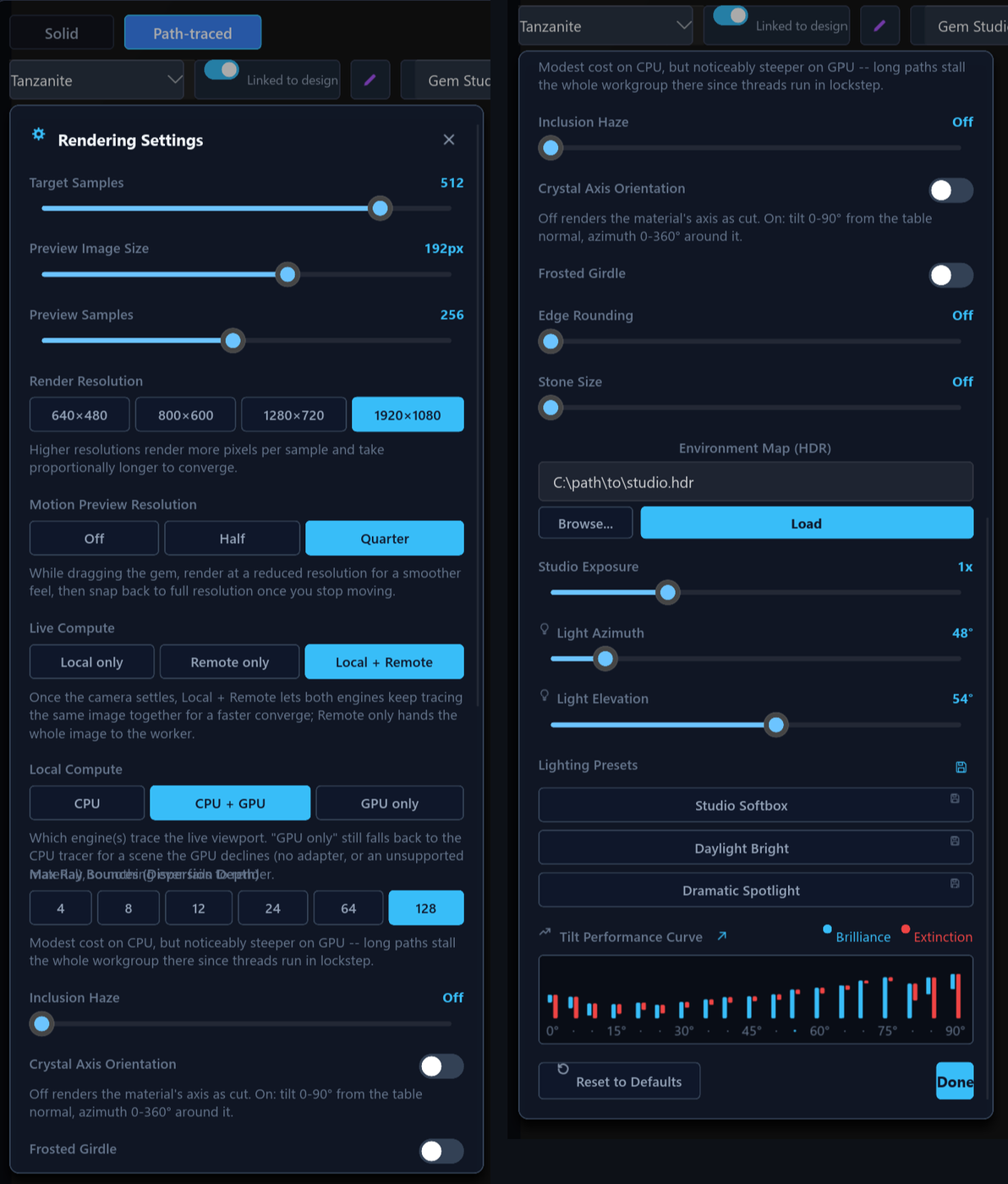
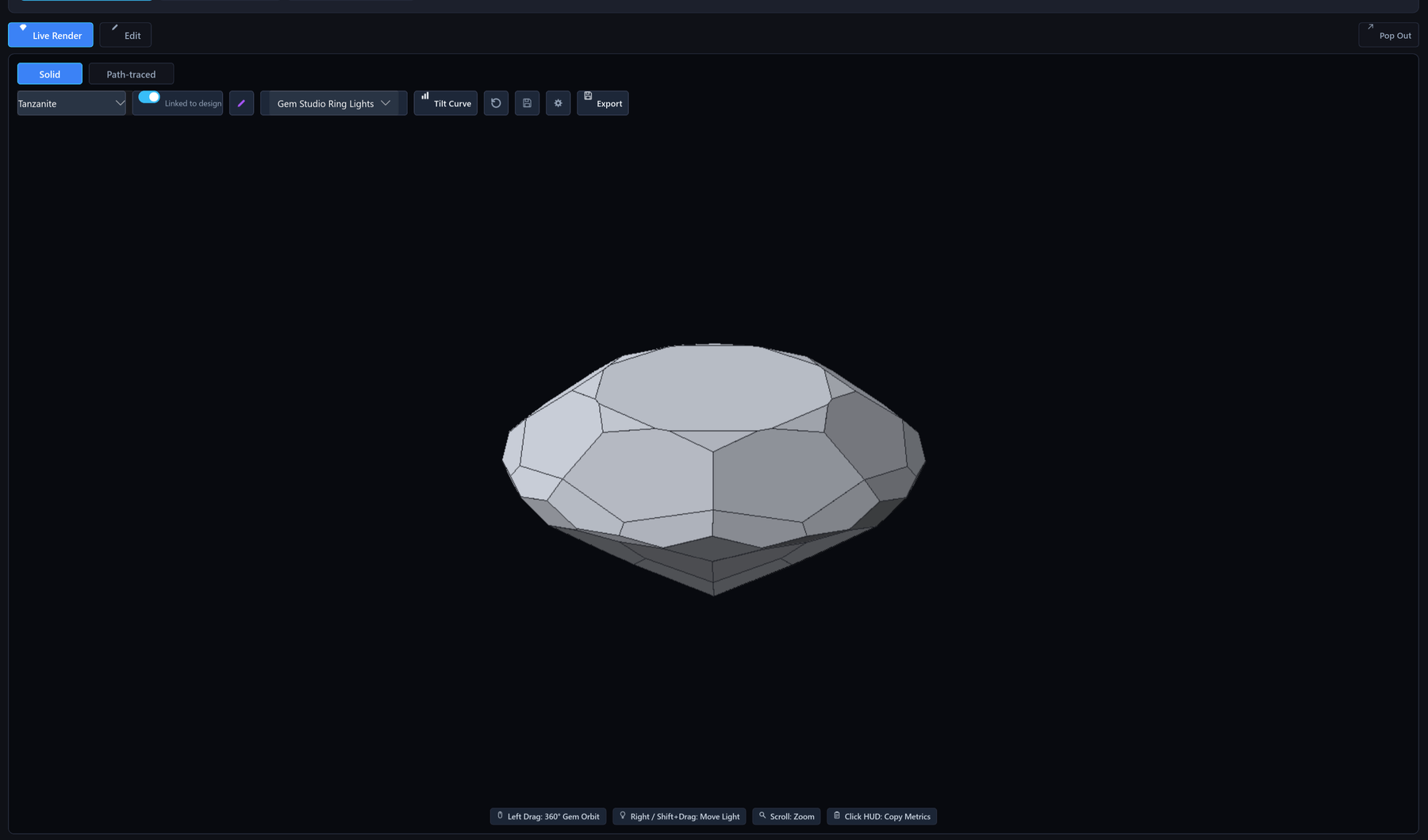
The viewport renders either a fast solid preview or the full path
tracer, with orbit camera controls, material selection, lighting
presets, and support for loading custom HDR environment maps. Seven
lighting presets span three environment models — an analytic studio rig,
an ISO hemisphere, a jewellery light tent and a daylight sky — and a
backdrop card can be placed behind the stone without the stone's own
optics ever seeing it (see the physics
page). Master
stills export up to 8192 × 8192 pixels at up to 32 768 samples per pixel
(MAX_EXPORT_DIM, MAX_EXPORT_SPP in
apps/indicatrix-cut/src/bridge/export_thread/params.rs).
If the GPU compute path loses its device mid-session, the viewport
re-acquires it once and retries the same frame; if that also fails it
falls back to the CPU tracer for the rest of the session with a
visible status message, rather than freezing.
5Faceting CAD (beta)
The faceting CAD is in beta. Solving runs on a background solve service with real mid-solve cancellation and a progress-tracked activity list, new designs are guided by a template gallery and an in-app worked example, and results carry stale badges when they no longer match the current design — but the editor's interaction model is still evolving, and results should be checked against a conventional CAD before cutting.
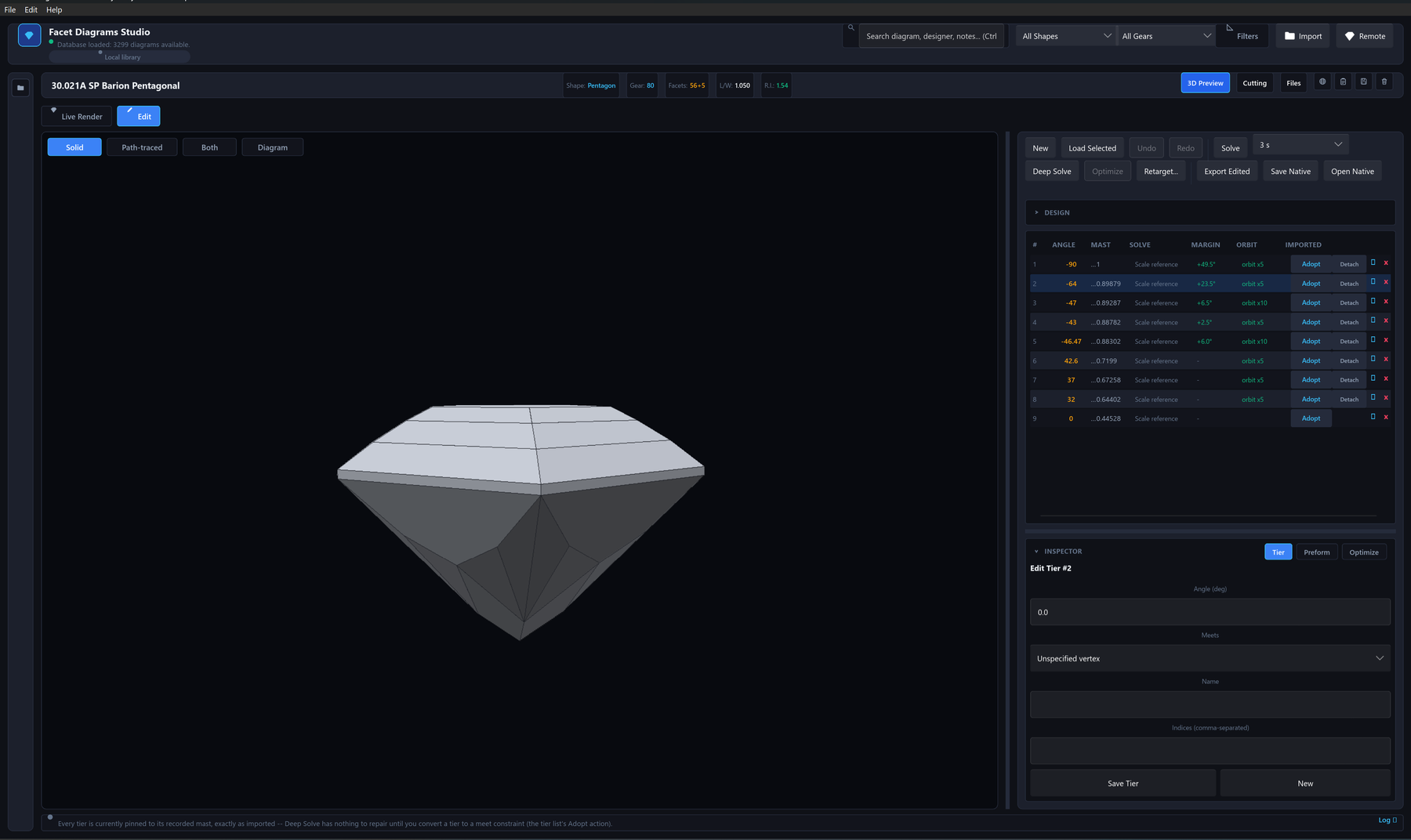
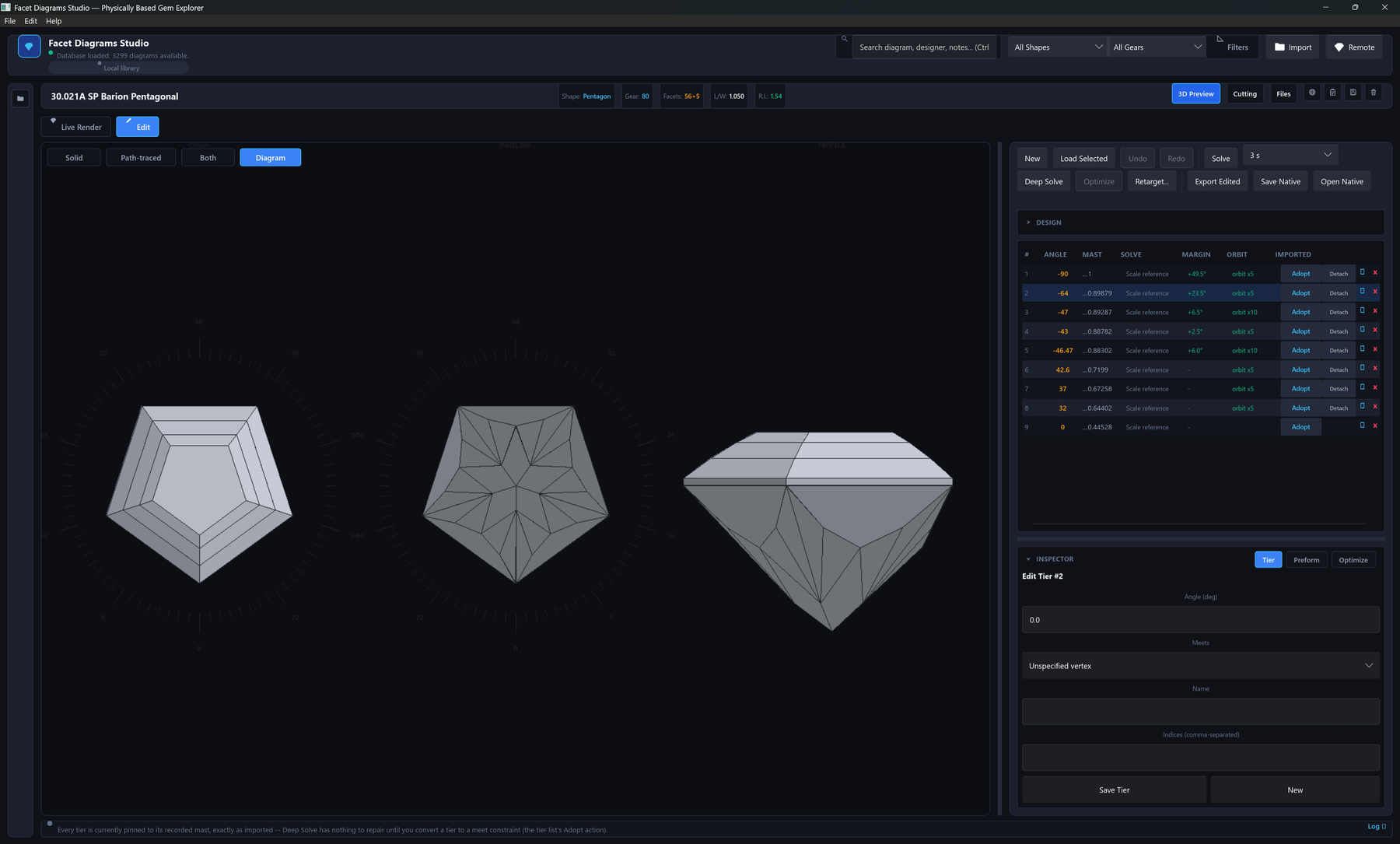
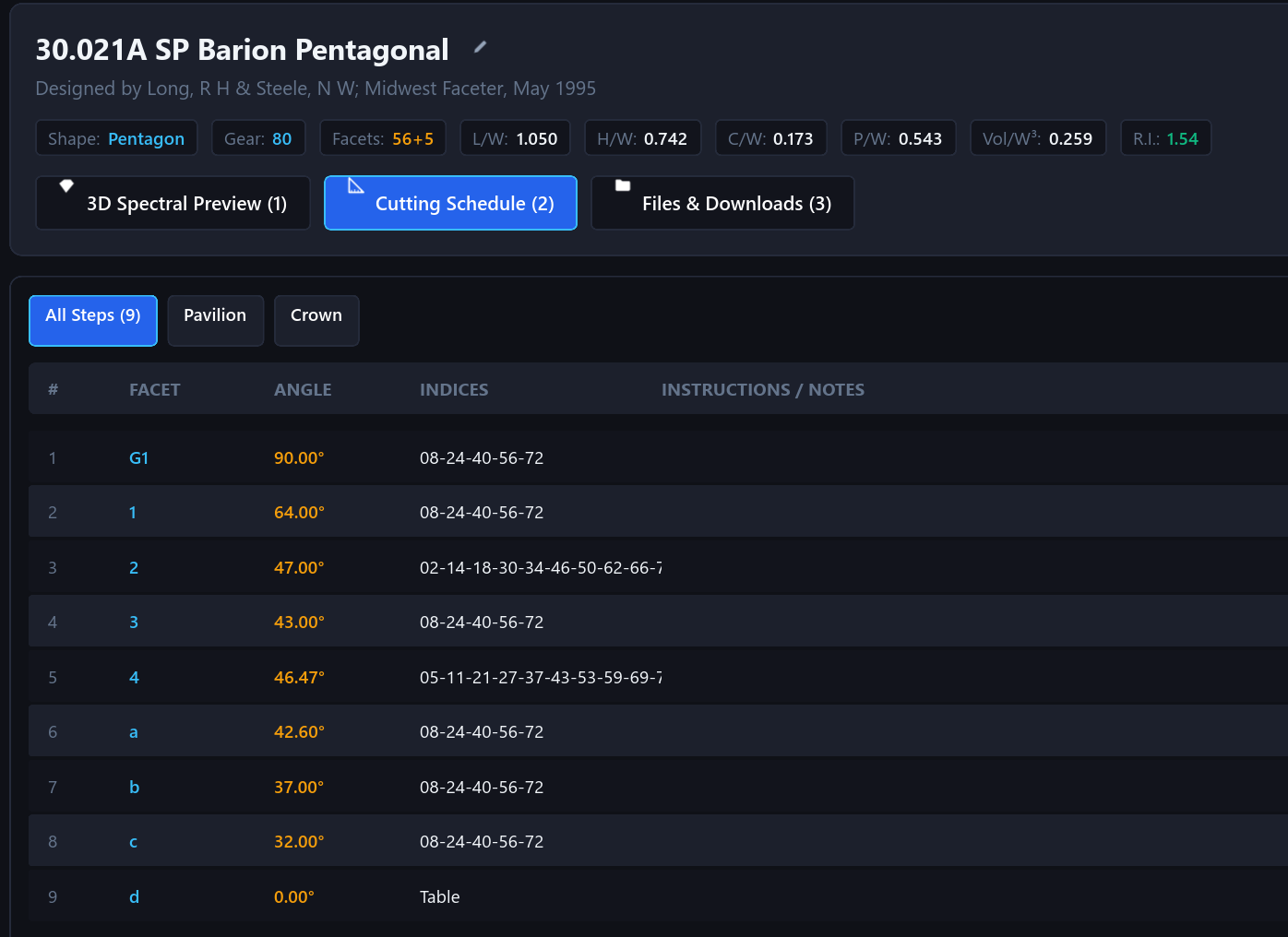
The cutting instructions are treated as a constraint graph rather than a static
list of numbers. The meet-point solver (crates/indicatrix/src/geometry/meet_solver)
resolves each facet's cutting depth from its meet constraints in
dependency order, and can anchor an otherwise-unconstrained schedule
against a design's own printed C/W/P/W
proportions (meet_solver/anchors.rs). On top of the solver,
indicatrix-cut-core provides rough preforms
(preform.rs), a coordinate-search angle optimizer
(optimize/), and manufacturability checks — vanishing or
undersized facets, gear-quantization errors, out-of-order meets
(manufacturability/). Designs round-trip through GemCAD
.asc import/export and Indicatrix's own
.indicatrix.toml sidecar format
(crates/indicatrix-formats/src/native), which preserves
constraints and preforms that a plain .asc file cannot
express. Two further formats import and open directly, converted to
.asc cutting instructions: .gcs (Gem Cut Studio),
read per the file description in that program's 1.1 manual and checked
against 59 real files, with an experimental writer; and .gem
(GemCAD's own binary save format, which has no published specification),
whose geometry — every facet plane, tier, name and cutting note, plus gear,
symmetry and refractive index — is decoded from the binary and verified
against a corpus of 254 files. Neither reader is affiliated with or
endorsed by those tools' authors. See the
file-format table.
For a cutter at the machine, the cutting instructions double as a printable
cutting sheet: each solved mast converts to a real cutting depth and an
unsigned dial reading in millimetres, cheater/azimuth offsets are applied
to the printed geometry so the sheet matches what the solid view and
tracer show, and a facet can target a girdle thickness or table width in
millimetres directly instead of a dimensionless mast
(indicatrix-cut-core/src/cutting_sheet.rs,
design/targets.rs). Every tier keeps a stable id across
edits and file round trips, and the preform module reports volumetric
yield and an estimated carat weight from the rough
(yield_metrics/). Beyond a single design, the beta
Rough planner (Library → Plan Rough...) takes a rectangular
block of rough and plans across the whole design library, or the current
filter: it ranks up to 10 layouts of up to 99 stones by total carats, each
with a sawing plan of slabs, bars and pieces
(rough_plan/; see the
studio page). See the studio page
for the guidance UI (empty-state cards, a template gallery, an in-app
worked example, and a keyboard-shortcut overlay) built around this
workflow.
6Materials
Indicatrix ships 32 built-in gem materials in
crates/indicatrix/src/optics/materials.rs, each with a
dispersion fit either transcribed from a primary optical-constants
paper or derived from corroborated gemological reference values (the
source code documents which, per material). The same 32 materials,
plus any custom material you save in the desktop studio, back one
shared catalogue used by both the renderer's material picker and the
CAD editor's design settings, so a species available in one is
available in the other. The chart below evaluates a subset of these
dispersion curves live in your browser; the full table, the shared
catalogue, and how an imported design's material is inferred (and
flagged as a guess) are on the materials
page.
- Material
- Diamond (C)
- Crystal system
- Cubic (Isotropic)
- Optical character
- Isotropic
- n_D (589 nm)
- 2.4173
- Dispersion (n_F − n_C)
- 0.0256
- Abbe number (V_d)
- 55.3
- Birefringence (Δn)
- 0.0000 (none)
- Specific gravity
- 3.52
Exceptional brilliance and adamantine luster with intense fire. The reference isotropic gemstone.
7Distributed rendering
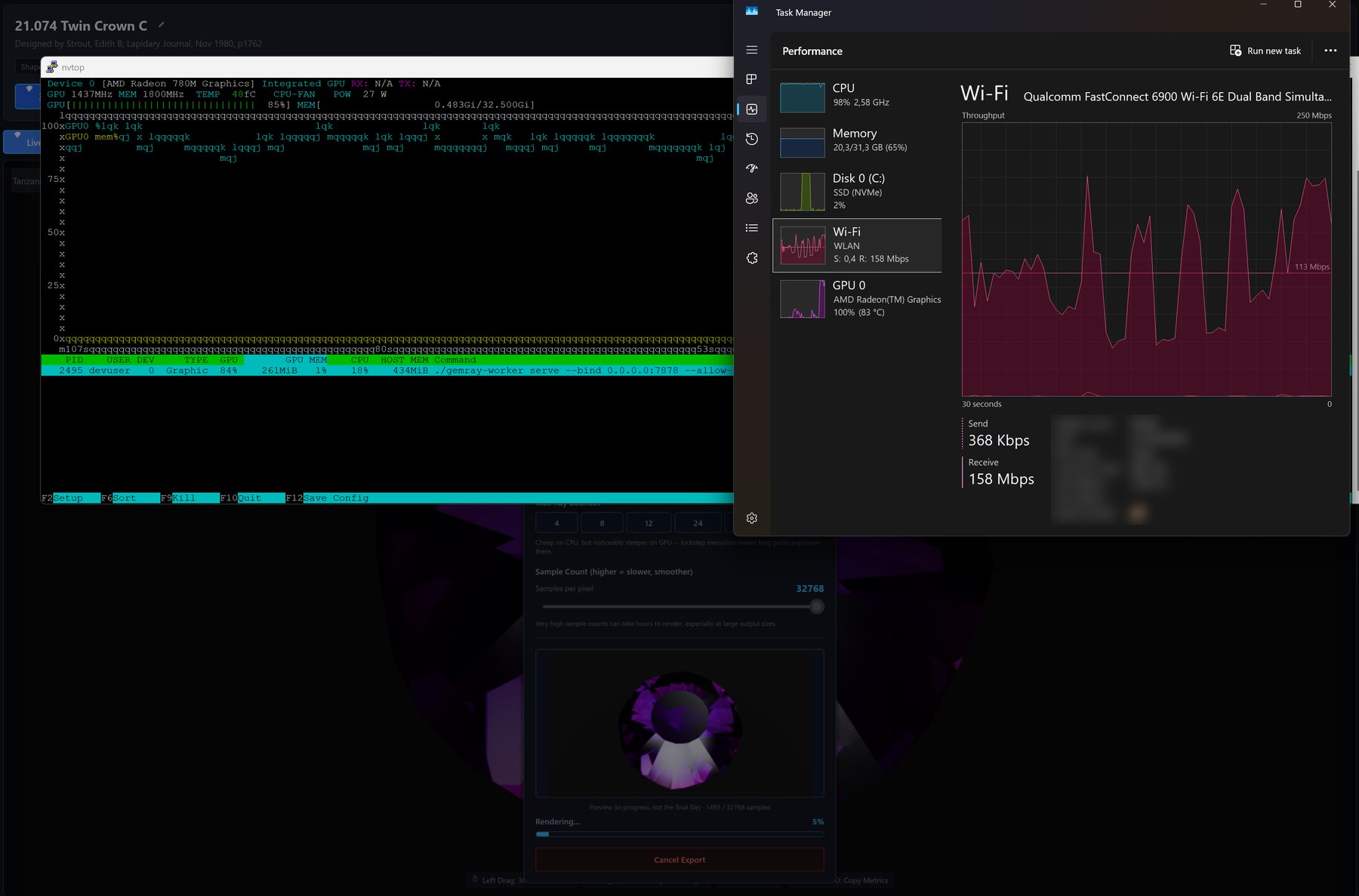
The asymmetry is the design: the desktop sends a scene description and sample-range requests, the worker sends back accumulated radiance. Network identifiers are blurred.
The viewport renders locally while the camera moves, then hands off
sample tracing to one remote endpoint, a coordinator
(indicatrix-worker serve), once the camera settles. Because
each sample's contribution is additive and order-independent, work is
partitioned by sample-index range rather than by screen tile, which
avoids the load imbalance that tiling causes on a gemstone (most of the
frame is background, a few facets absorb most of the bounce budget).
The coordinator traces with its own CPU/GPU when started with
--render, and splits exports across the render workers that
dial out to it with indicatrix-worker join —
no inbound port on the worker, so machines behind NAT or cloud VMs can
join — surviving a worker that drops out mid-job. In
Local + Remote mode the desktop and the coordinator share one
sample budget, so their samples are combined, never duplicated. Results
travel losslessly compressed (35–50 % smaller on measured frames),
or as a finished picture only when bandwidth matters more than combining
with local samples, and HDR environment maps travel by content hash so
HDR-lit scenes can render remotely too, wherever the remote advertises
HDR support. Every connection is mutual
TLS 1.3 (rustls, TLS 1.2 compiled out) with one-time token
enrollment, so a new client or worker can pair with a coordinator
without a manual certificate exchange. See the
distributed rendering page for the
protocol and the indicatrix-worker CLI.
8Workspace
| Crate | Kind | Description |
|---|---|---|
indicatrix |
library | A physically-based spectral gemstone renderer that turns GemCAD-style cutting instructions into rendered output. |
indicatrix-cut-core |
library | Editor-core library for faceting cutting instructions: preform, tiers, undo/redo, and live solid validation. |
indicatrix-formats |
library | Readers and writers for gemstone faceting design file formats. |
indicatrix-vault |
library | SQLite-backed storage, data models, and local import/export for gemstone faceting design libraries. |
indicatrix-net |
library | Wire protocol for offloading indicatrix spectral ray samples to a remote render worker. |
indicatrix-dispatch |
library | Sample-range scheduling for render lanes: a shared disjoint sample cursor, per-lane rate models, a lane pool that merges chunk sums deterministically, and a whole-item batch queue. No networking and no GUI types. |
indicatrix-cut |
app (desktop) | Desktop faceting-design editor: library browsing, spectral 3D rendering, material retargeting, and a solid inspection view. |
indicatrix-worker |
app (CLI / server) | The coordinator (serve): serves an indicatrix-backed design catalogue over mutual TLS and accepts joining render workers. The optional worker feature adds render capacity — serve --render, join to work for a coordinator, and render, a one-shot scene-to-PNG CLI. |
indicatrix-web |
app (browser) | Browser build of indicatrix, served as static files: open or start a design (.asc, the native pair, .gem, .gcs), edit it in the same faceting CAD engine, and look at it as a solid, a faceting diagram and a spectral render traced on your CPU cores in Web Workers, with the brilliance, fire, windowing and extinction figures and the tilt curve. Files are read and saved as browser downloads; the design lives in the tab's session only. No design library, no remote rendering, no Deep Solve, no GPU renderer, no database. |
indicatrix-web-core |
library | The compute side of the browser build with no DOM and no GUI in it: the Web Worker protocol, the CPU chunk tracer and its bit-exact accumulation, the worker-side solve, Optimize, metrics and tilt sweeps. Tested natively. |
indicatrix-web-compute |
app (Web Worker) | The Web Worker entry point of the browser build: decodes a message, runs the indicatrix-web-core handler, posts the reply. |
9Getting started
Nothing to install: the browser version is at live.indicatrix-suite.com (what it can and cannot do is on the web app page). For the design library, GPU and remote rendering, install the desktop application as below.
# Linux/macOS
curl --proto '=https' --tlsv1.2 -sSf https://sh.rustup.rs | sh

# Windows (or download rustup-init.exe from https://rustup.rs) --
# rustup's installer also offers to set up the MSVC C++ build tools it needs
winget install --id Rustlang.Rustup

# either platform: make sure the toolchain is current --
# indicatrix needs rust-version 1.95 or newer (workspace Cargo.toml)
rustup update stable# CPU-only build
cargo install indicatrix-cut
# with the GPU path-tracing backend
cargo install indicatrix-cut --features gpu
# HDR environment-map (.hdr) loading is always included, not a separate feature
# then start it
indicatrix-cut
# optional: the coordinator / remote render worker (add --features gpu for the GPU tracer)
cargo install indicatrix-worker --features worker# on the coordinator: serve the library and render with this machine's own CPU/GPU
# (serve no longer renders by default; --render turns that on)
indicatrix-worker serve --bind 0.0.0.0:7878 --allow-remote \
--ca pki/ca.pem --cert pki/server.pem --key pki/server.key --render
# on any further machine: dial out to the coordinator's worker port and render for it
indicatrix-worker join coordinator.local:7880
The certificates and one-time enrollment tokens both commands need are
set up with indicatrix-worker cert; the full walkthrough is
on the distributed rendering
page.
# clone and build
git clone https://github.com/suitable-name/indicatrix.git
cd indicatrix
cargo run -p indicatrix-cut --release

# with the GPU compute kernel
cargo run -p indicatrix-cut --release --features gpu# scene.json is a serialized indicatrix-net SceneState
cargo run -p indicatrix-worker --features worker -- render \
--scene scene.json \
--out render.png \
--width 3840 \
--height 2160 \
--samples 8192
Rust edition 2024, rust-version = "1.95" (workspace
Cargo.toml). Windows and Linux are the platforms exercised
by this repository's own build scripts
(scripts/pgo-build.ps1, scripts/pgo-bolt-build.sh);
macOS is not currently tested. The desktop app writes a log file
(indicatrix-cut.log, next to the executable, falling back
to the temp directory) for diagnosing a background-thread failure;
verbosity follows RUST_LOG, defaulting to warn
everywhere and info for indicatrix/
indicatrix_cut (apps/indicatrix-cut/src/main.rs).
10Roadmap
Everything in this section is a plan, not a feature. None of it exists in the current source tree, none of it has a release date, and the order below is not a promise of sequence. It is listed so that the direction of the project is visible.
| Planned feature | What it will do | Builds on |
|---|---|---|
| Rough planner from 3D scans | Extend the existing Rough planner, which today plans stones from a rectangular block of rough, to scanned rough and inclusions: import a 3D scan of the rough, place and orient the design inside it, and compare yield and orientation options against the real shape, including inclusions the scan captures. Scans are not implemented. | The beta Rough planner and the yield report (section 5), extended from a rectangular block to a scanned volume. |
| Colour from a photograph of the rough | Pick the render colour from a photo of the actual rough rather than from a catalogue preset: sample the stone's colour in the picture and derive an absorption spectrum that reproduces it, so the preview shows the stone you have, not a generic one. | The spectral material model and the shared material catalogue (section 6). |
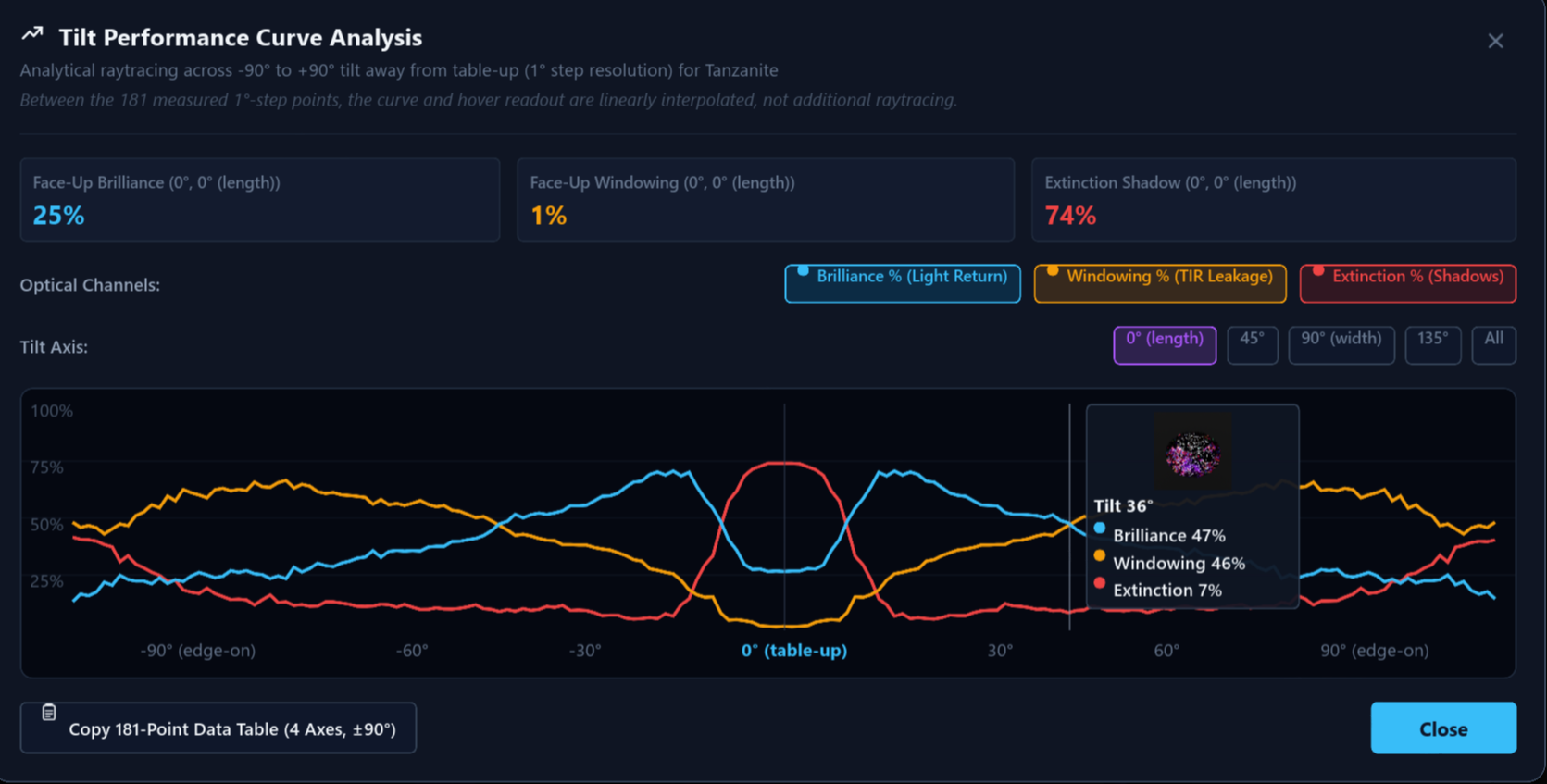
| Optical-effect overlays in the render | Highlight directly in the rendered image where windowing, extinction, brilliance and fire occur. Each effect can be shown as a coloured overlay on the stone, so a cutter sees at a glance which facets leak light straight through or go dark at the current viewing angle, instead of reading it only from a score or the tilt curve. | The optical metrics and the tilt performance sweep (section 4), which already measure these effects from the camera's point of view but report them only as numbers and curves. |
| Mobile app | A phone or tablet client for browsing the library and viewing designs in high-definition renders. The rendering itself happens on a coordinator or worker over the existing remote protocol, so a mobile device gets the same quality as the desktop without tracing anything locally. | Distributed rendering and the coordinator model (section 7). |
| GPU rendering in the browser | Let the web app trace on the GPU when the browser and graphics driver can take it, falling back to the CPU workers otherwise. Today the desktop's GPU kernel does not compile in browsers, so this needs a smaller, browser-sized kernel; it is being researched and is not promised. | The GPU compute path and its equivalence harness (section 2), and the browser build's CPU worker pool (section 8). |
| Multi-language support | The desktop studio and the web app in more languages than English: menus, dialogs, messages and the guided walkthrough, with a language picker, plus the printed cutting instructions and faceting diagram labels in the chosen language. | The Slint interface toolkit's built-in translation support, which both applications already use; today every text in them is English only and none of it is marked for translation yet. |
| More database adapters | Keep the design library in the database you already run: MySQL, PostgreSQL or another server, alongside the built-in SQLite file, so a workshop or club can share one library. | The library storage in indicatrix-vault, which today writes a local SQLite database. |
| Concave designs | Facets cut with a cylindrical or spherical tool rather than a flat lap, in both the tracer and the CAD: curved facet geometry, its optical behaviour, and cutting instructions that carry the tool radius. | Today the geometry is strictly half-space planes (section 1); this is the one item that changes the geometric model. |
11Status and limitations
- The faceting CAD (
indicatrix-cut-coreand the editor UI inapps/indicatrix-cut) is beta; its interaction model is still changing. indicatrix-webis the browser build (live.indicatrix-suite.com, described on the web app page). It renders on the CPU in Web Workers (slower than the desktop's GPU path, so a few hundred samples take a while on a laptop), edits and solves designs with the same engine as the desktop, and keeps a design only for the life of the browser tab, so save your work as downloads. It has no design library, remote rendering, Deep Solve or GPU renderer — see its ownREADME.mdfor the limits.- The GPU compute path requires a wgpu-supported adapter with at least 11 storage buffers per shader stage (
MEGAKERNEL_STORAGE_BUFFERS,crates/indicatrix/src/renderer/gpu/context.rs); without one, rendering falls back to the CPU tracer. - macOS is not mentioned in the workspace README or build scripts and is not known to have been tested.